Short answer
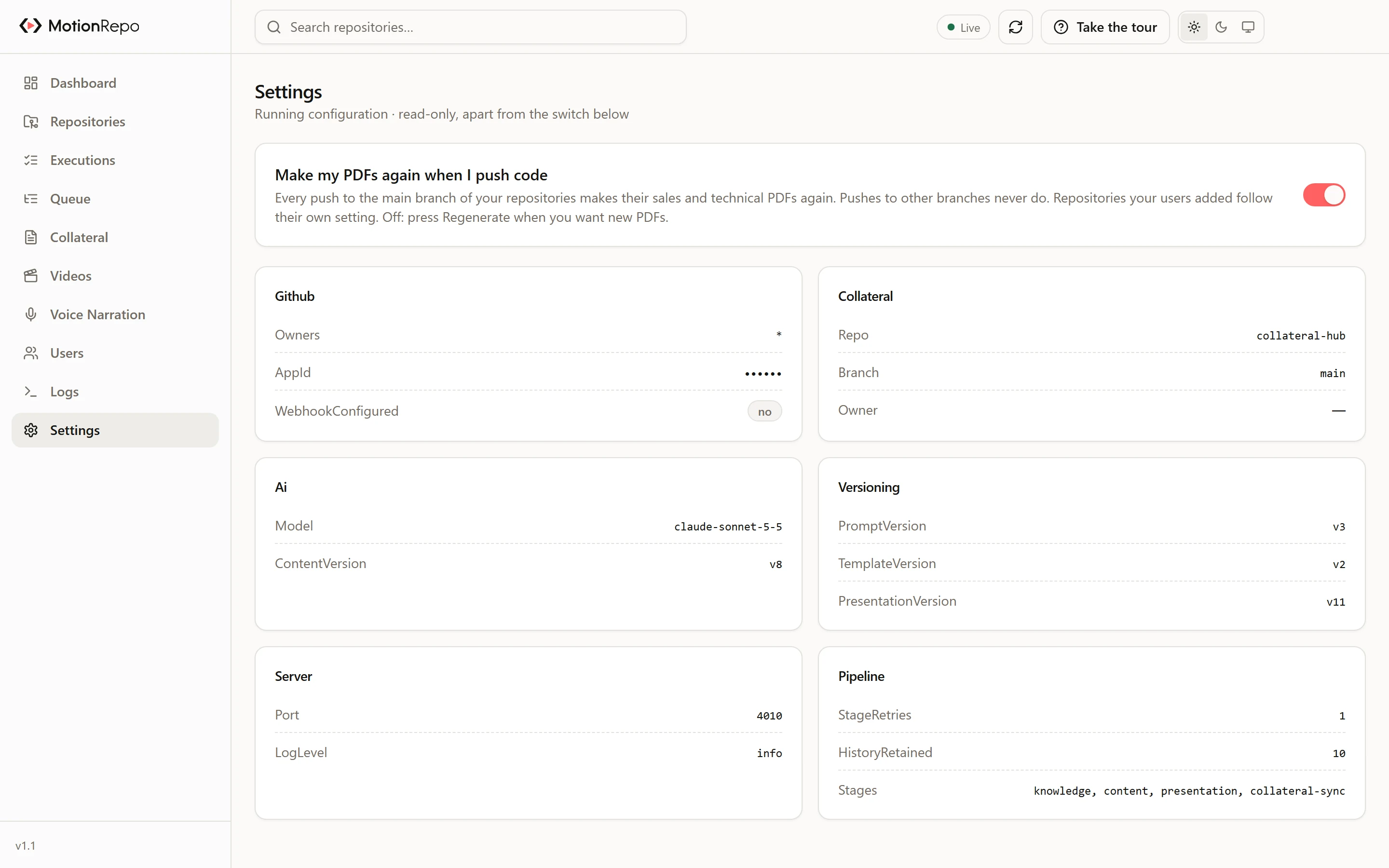
Sales docs stay current when they are written again from the code instead of edited by hand. In MotionRepo, press Regenerate on any plan to write the sales and technical PDFs again. On Starter and Pro you can turn on writing them again on every push to the main branch, for 1 credit each time. A commit the documents were already written from is skipped.
Key points
- Sales docs go stale because nobody owns updating them, not because people are careless.
- Regenerate writes both PDFs again from the current code, on any plan.
- On Starter and Pro, the PDFs can be written again on every push to main, if you turn it on.
- Each run is 1 credit; a commit the documents were already written from is skipped.
01
Why do sales docs go stale?
A product changes every week. Its sales documents change when someone has time, which is rarely. Each release makes the gap a little wider: a renamed feature, a new integration, a screen that no longer looks like the screenshot.
The usual fix is a quarterly rewrite. It is a project, so it slips, and in the meantime sales keeps sending what it has. The underlying problem is that the document is a hand-made copy of the product, and copies drift.
02
Why write it again instead of editing it?
Editing a document means finding every sentence the change affected. Writing it again from the code means starting from what is true now. The second is cheaper when a machine does the writing.
MotionRepo’s sales PDF and technical PDF are both written from the repository. To bring them up to date, it reads the current code and writes them again. Nothing from the old copy carries over by accident.
03
What are the ways to update them?
| Way | Plans | When it runs | Cost |
|---|---|---|---|
| Regenerate | Any plan | When you press it | 1 credit |
| On every push to main | Starter and Pro, if you turn it on | After each push to the main branch | 1 credit each time |
| Self-hosted | Self-hosted license | On every push | Your own Claude account |
Whichever way it runs, a commit the documents were already written from is skipped instead of being written up a second time.
04
Should you turn on updates on every push?
It depends on how often you push to main and how often the product really changes.
- Turn it on if main changes a few times a month and the docs go to customers often. Every push keeps them current without anyone remembering.
- Leave it off if main moves many times a day. Each run is a credit, so press Regenerate before a launch or a big sales push instead.
- Either way, the documents in your dashboard are always the latest ones written.
Credits and plans are on the pricing page.
05
A simple routine that works
- 1Ship to main as usual.
- 2Let the PDFs be written again, by push or by pressing Regenerate after a release.
- 3Skim the new sales PDF before it goes out. It is written by an AI, so read it as you would any draft.
- 4Replace the old file wherever sales keeps it, so nobody sends last quarter’s version.
If you also make videos, the same idea applies: a release notes video made from the branch you ship keeps launch posts in step with the code.
06
Questions
Can the PDFs update automatically on the free trial?
No. Writing them again on every push to main is on Starter and Pro. On the trial, press Regenerate.
Is a run ever skipped?
Yes. If the documents were already written from that exact commit, the run is skipped instead of writing them again.
Does writing the docs again change my repository?
No. MotionRepo reads the repository and never writes to it. The PDFs are kept separately.